DR Strategy
Aurora RDS DR:
Please refer this link for Aurora DR Strategy.
On template deployment snapshot backups are auto enabled. You can enable Auto Scaling as guided in this link
Cross-Region Disaster Recovery
If your primary region suffers a performance degradation or outage, you can promote one of the secondary regions to take read/write responsibilities. An Aurora cluster can recover in less than 1 minute even in the event of a complete regional outage. This provides your application with an effective Recovery Point Objective (RPO) of 1 second and a Recovery Time Objective (RTO) of less than 1 minute, providing a strong foundation for a global business continuity plan.
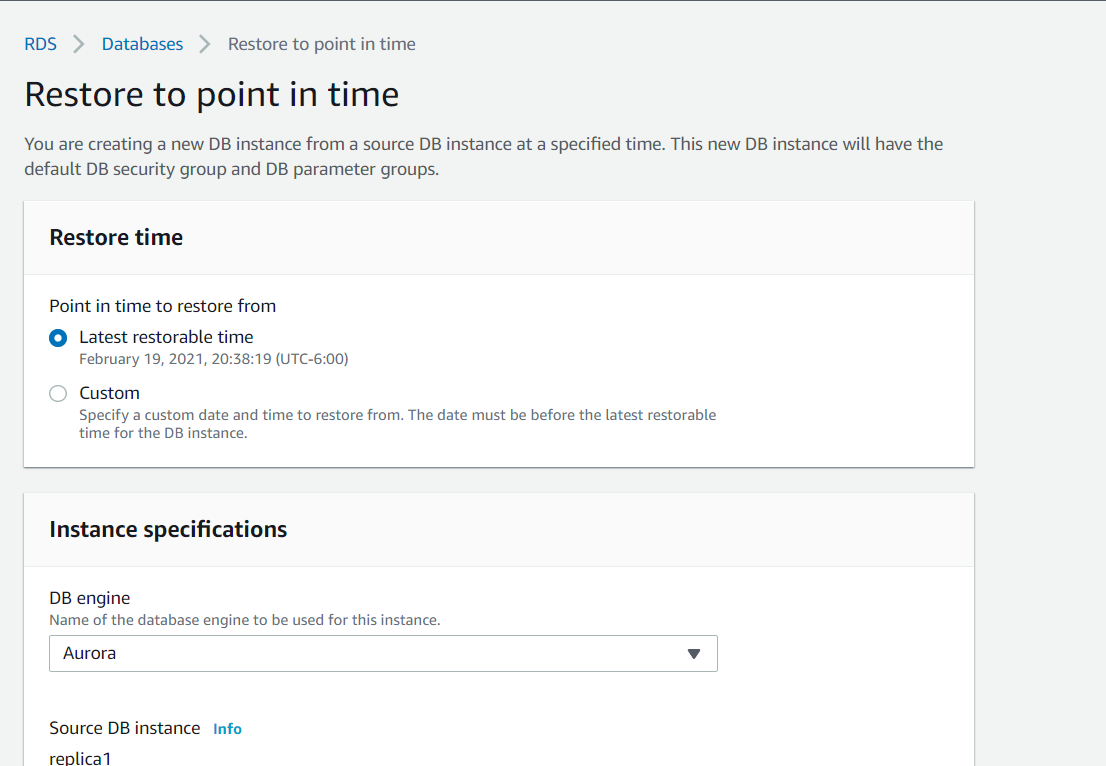

Restoring from a DB snapshot
If a disaster occurs, you can create a new DB instance by restoring from a DB snapshot. When you restore the DB instance, you choose the name of the DB snapshot from which you want to restore. Then, you provide a name for the new DB instance that is created. Here are a few things to note about the restoration process:
- You cannot restore from a DB snapshot to an existing DB instance. Instead, you create a new DB instance when you restore. If you want to use the same name as the existing DB instance, you must first delete or rename the existing one.
- While it’s possible to restore a DB snapshot to a DB instance with a different storage type than the source DB instance, the restoration process is slower. There is additional work required to migrate the data to a new storage type.
- You can’t restore a DB instance from a shared DB snapshot that is encrypted. Instead, you make a copy of the DB snapshot and then restore the DB instance from the copy.
- It’s a good practice to retain the parameter group of any DB snapshots that you create. This enables you to restore the DB instance with the correct parameter group.
- When you restore from a DB snapshot, by default the option group that is associated with the DB snapshot is associated with the restored DB instance. You can associate a different option group with a restored DB instance. However, the new option group must contain any persistent or permanent options that were included in the original option group.
For detailed instructions, see Restoring from a DB Snapshot in the Amazon RDS User Guide.
EC2 Compute Backup
For EC2 backup it is recommended to do regular snapshot backups as described here